SwiftSplit — Fair Bill Splitting Without the Friction
End-to-end Product Design, User Research
Introduction - The Bill Splitting Problem
Shared expenses are a constant part of everyday life; dinners with friends, group trips, shared groceries. Yet despite how common these moments are, splitting a bill fairly and smoothly remains surprisingly difficult.
Most bill-splitting tools treat spending as equal by default or force users into item-by-item breakdowns that feel tedious and, in many cases, unfair. When people consume differently, price variations quickly turn simple splits into uncomfortable negotiations. Even after a group agrees on how to divide a bill, another problem emerges: tracking payments, following up, and ensuring everyone actually pays without creating tension.
The real issue isn't the calculation itself. It’s coordinating agreement and action in a way that feels fair, fast, and socially effortless.
Research & Insights
Users don’t think in split modes. They think in adjustments.
To better understand where existing solutions fall short, I looked at how people actually split bills in everyday situations.
A few consistent patterns emerged:
The most frustrating moment happens after the split, not during it.
Item-based splits often feel unfair when prices vary significantly.
Users already trust and rely on existing payment apps.
These insights suggested that flexibility alone was not enough. The core problem was coordination, clarity, and trust.
The Solution - SwiftSplit: Fair Splits with Real-World Payment Coordination
SwiftSplit translates these insights into a single, unified flow focused on fairness, clarity, and realistic payment behavior.
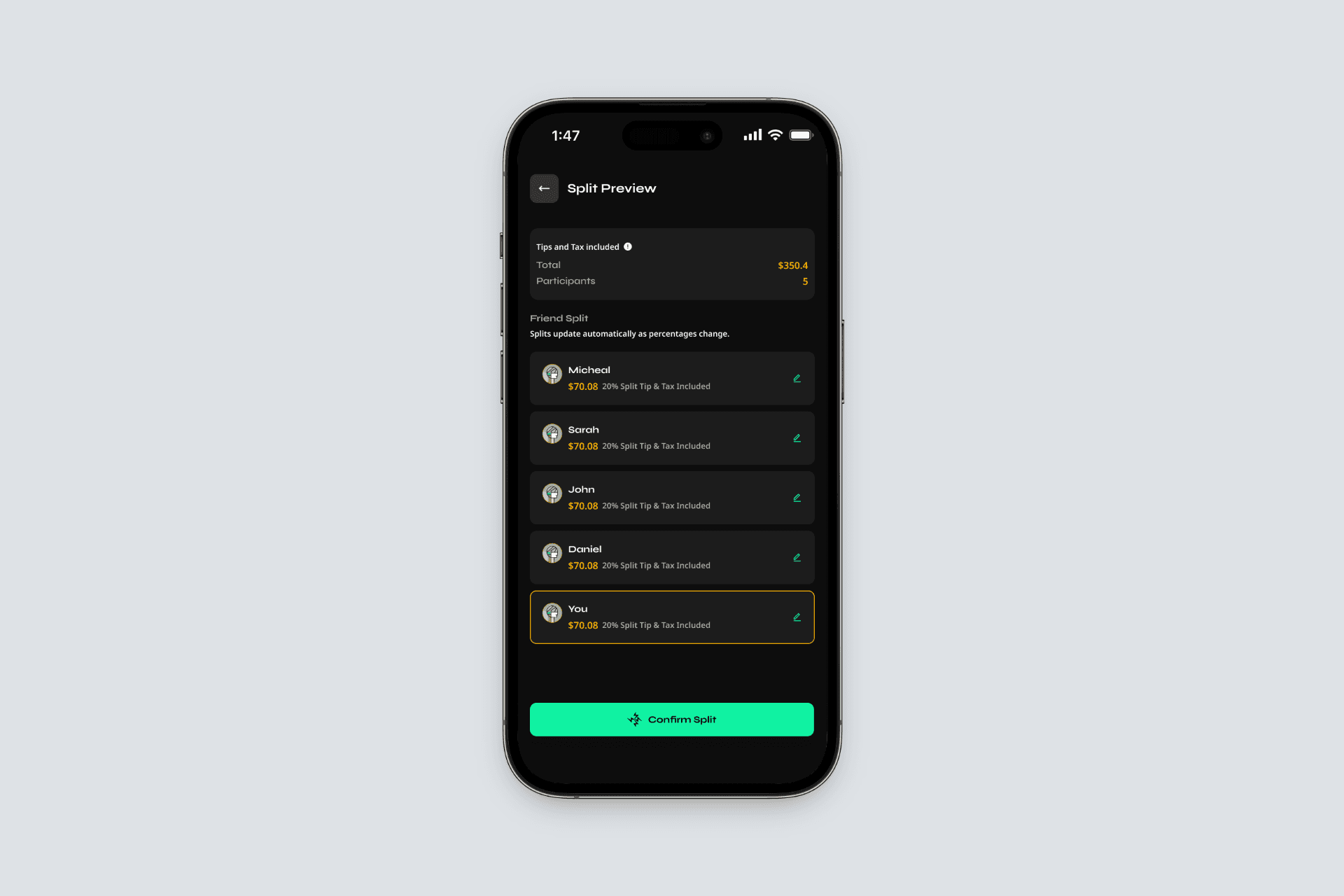
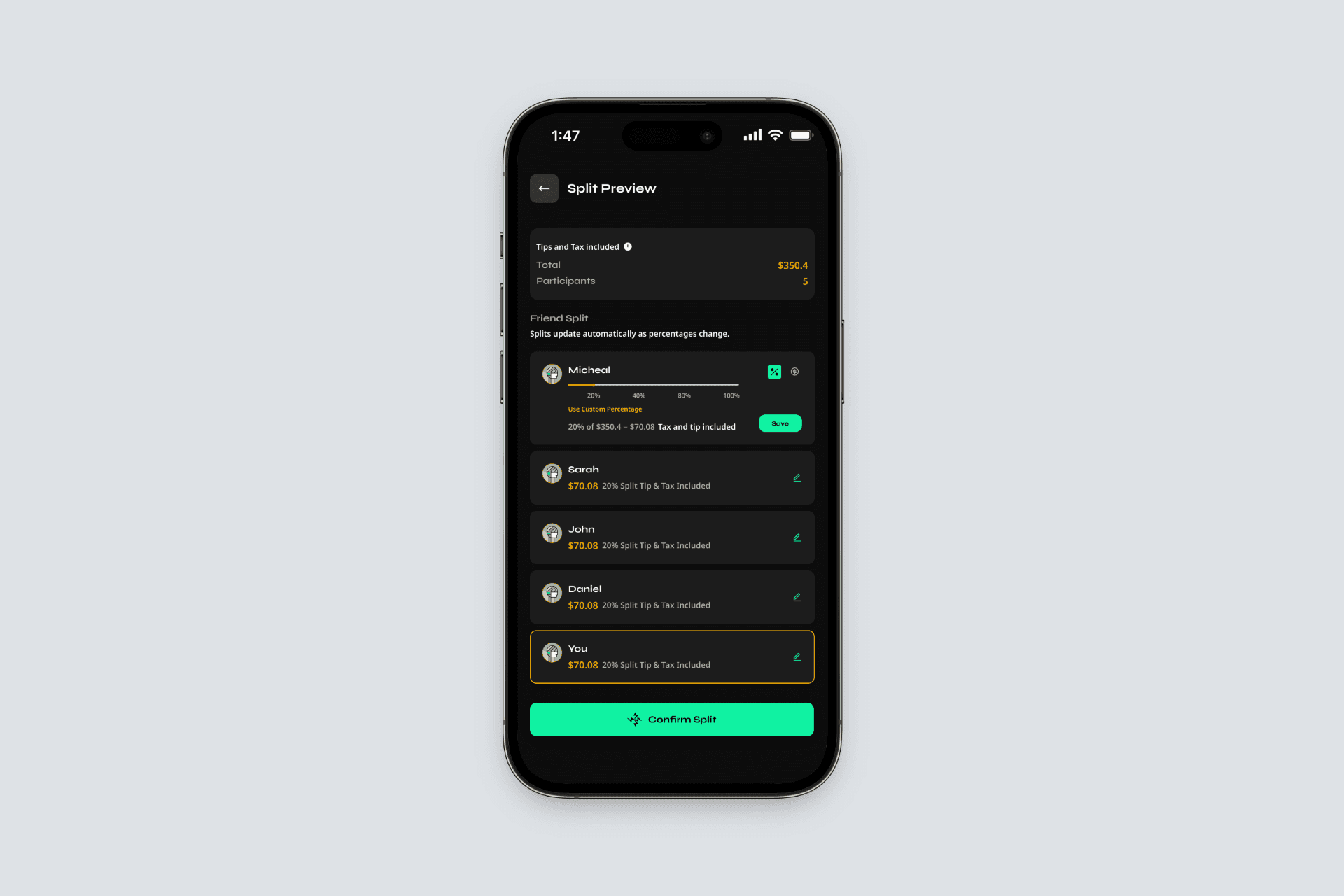
System-First Equal Split
Every split starts evenly by default. This removes the need for an upfront decision and gives users a neutral baseline to work from.
Inline Percentage & Amount Editing
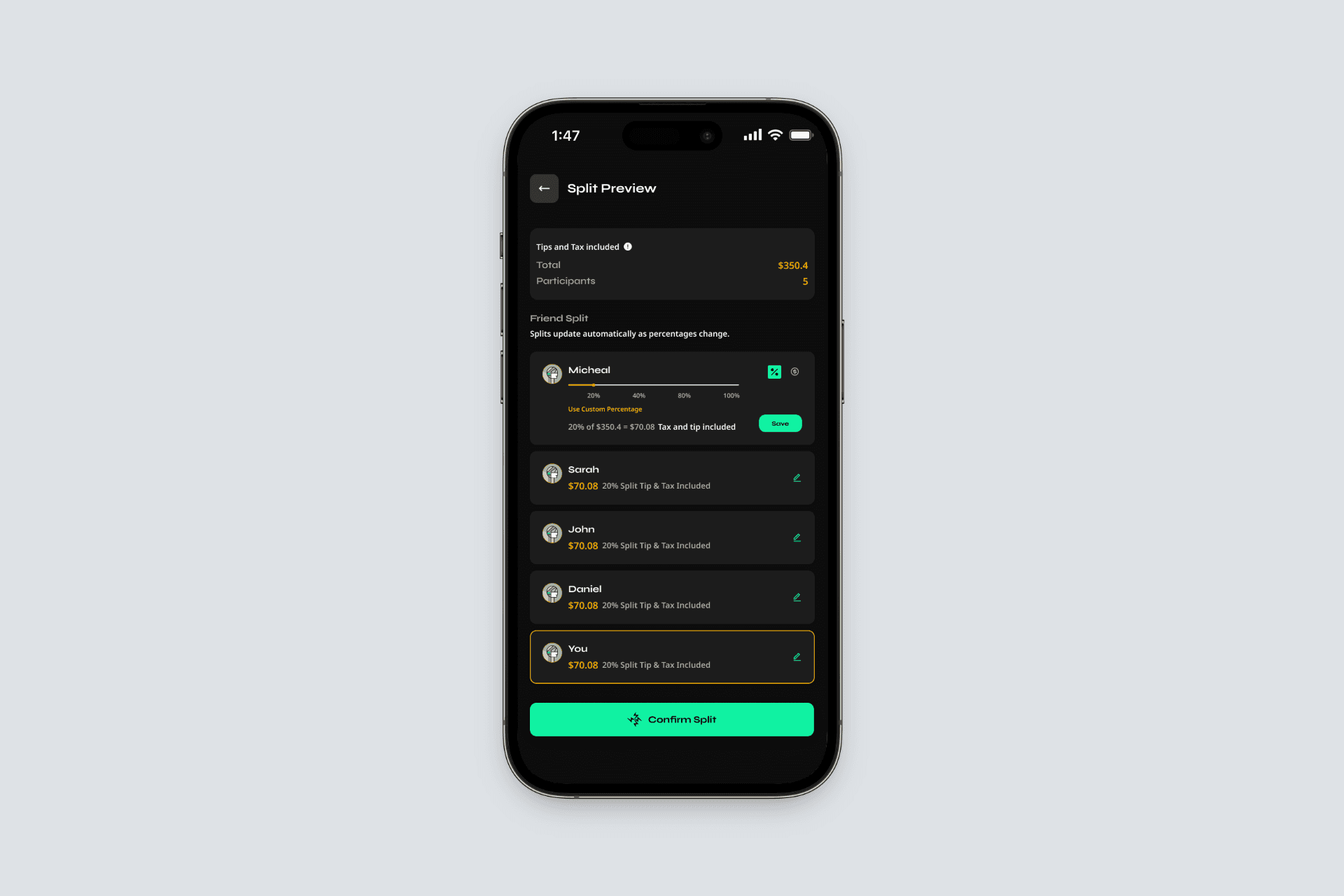
Rather than forcing users into predefined split modes, SwiftSplit allows individual shares to be adjusted inline.
Users can: edit a participant’s share as a percentage and switch seamlessly to editing by amount
Payment Coordination via Trusted Apps
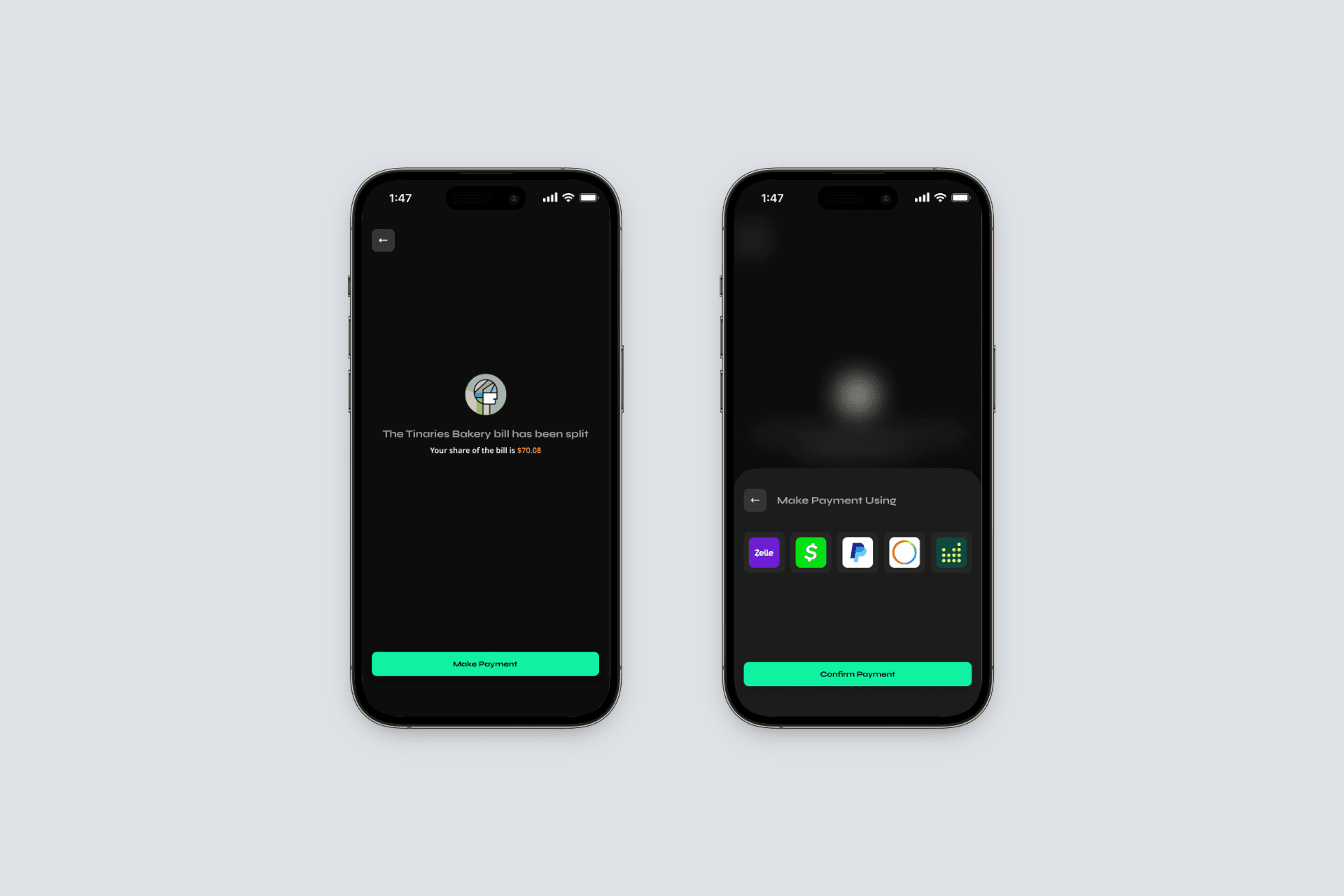
Once the split is confirmed, SwiftSplit hands users off to real payment apps already installed on their device, such as Zelle, Venmo, or Cash App.
A bottom-sheet modal presents only available payment options, avoiding proprietary wallets or forced sign-ups. Where supported, payment amounts are pre-filled to reduce friction.
SwiftSplit does not process payments or store funds. Instead, it coordinates the handoff.
Payment Status & Group Visibility
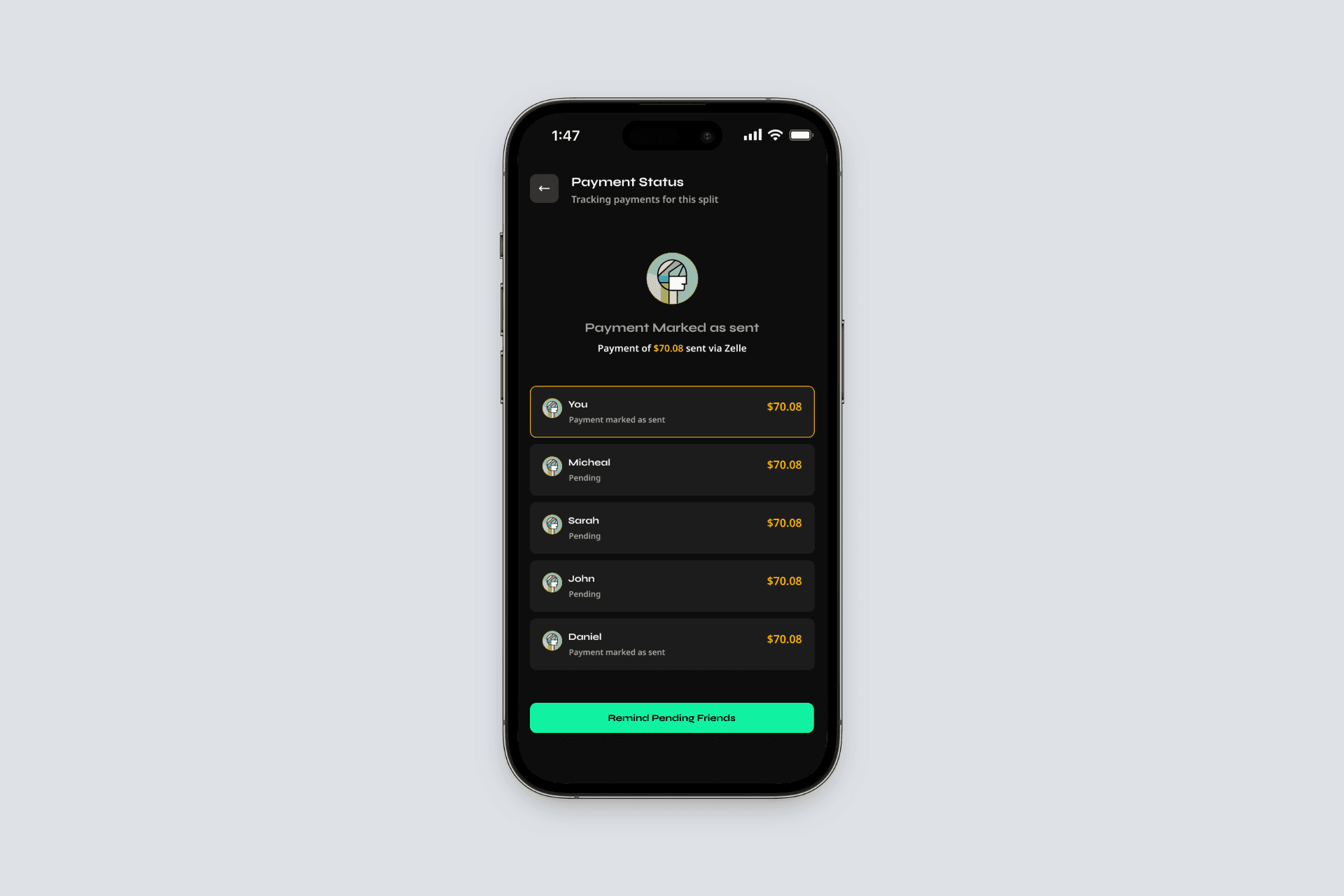
When users return from a payment app, SwiftSplit records the action as “payment marked as sent,” rather than claiming success.
A shared Payment Status screen shows:
Which participants have marked their payment as sent
Who is still pending
The user’s own status, clearly highlighted